




Get started

The way receipts
should be.

Customers tap and get their receipt instantly. No app, no email, no paper.

How it works

Tap. Save. Done.

  • Merchant selects print
  • Customer taps their phone
  • Receipt loads instantly
See how it works

How it works

Never lose a receipt again.

  • Save it to Photos
  • Download as a PDF
  • Forward to an accounting software
Explore accounting

For your business

Get more Google reviews.

  • One tap to leave a review
  • Right at the moment of purchase
  • More reviews, more customers
Explore review flows

For your business

Build customer relationships.

  • Collect customer sign-ups
  • Grow your customer database
  • Reach them again and again
Explore customer sign-ups

For your business

Reward repeat customers.

  • A loyalty card they'll never lose
  • No paper cards or stamps
  • Rewards with every purchase
Explore loyalty

For your business

Turn one sale into the next.

  • Promote products and special offers
  • Encourage customers to shop again
  • Increase revenue after every sale
Explore offers

For hotels

Charge-to-room, without the paper trail.

  • Guests confirm the charge on their phone
  • Works at the bar, spa, restaurant or front desk
  • A clean digital record, no lost paper slips
Explore room charge

For your business

Make every receipt your own.

  • Add your logo, links and branding
  • Connect customers with your business
  • Keep your brand top of mind
Explore the Receipt Builder Get started
Start now
  • Cuts business costs
  • Speeds up checkout
  • Drives revenue on every receipt
  • Reduces paper waste
Receiptile tile: tap your phone for an instant digital receipt
Digital receipt loading on a smartphone after tapping the Receiptile tile
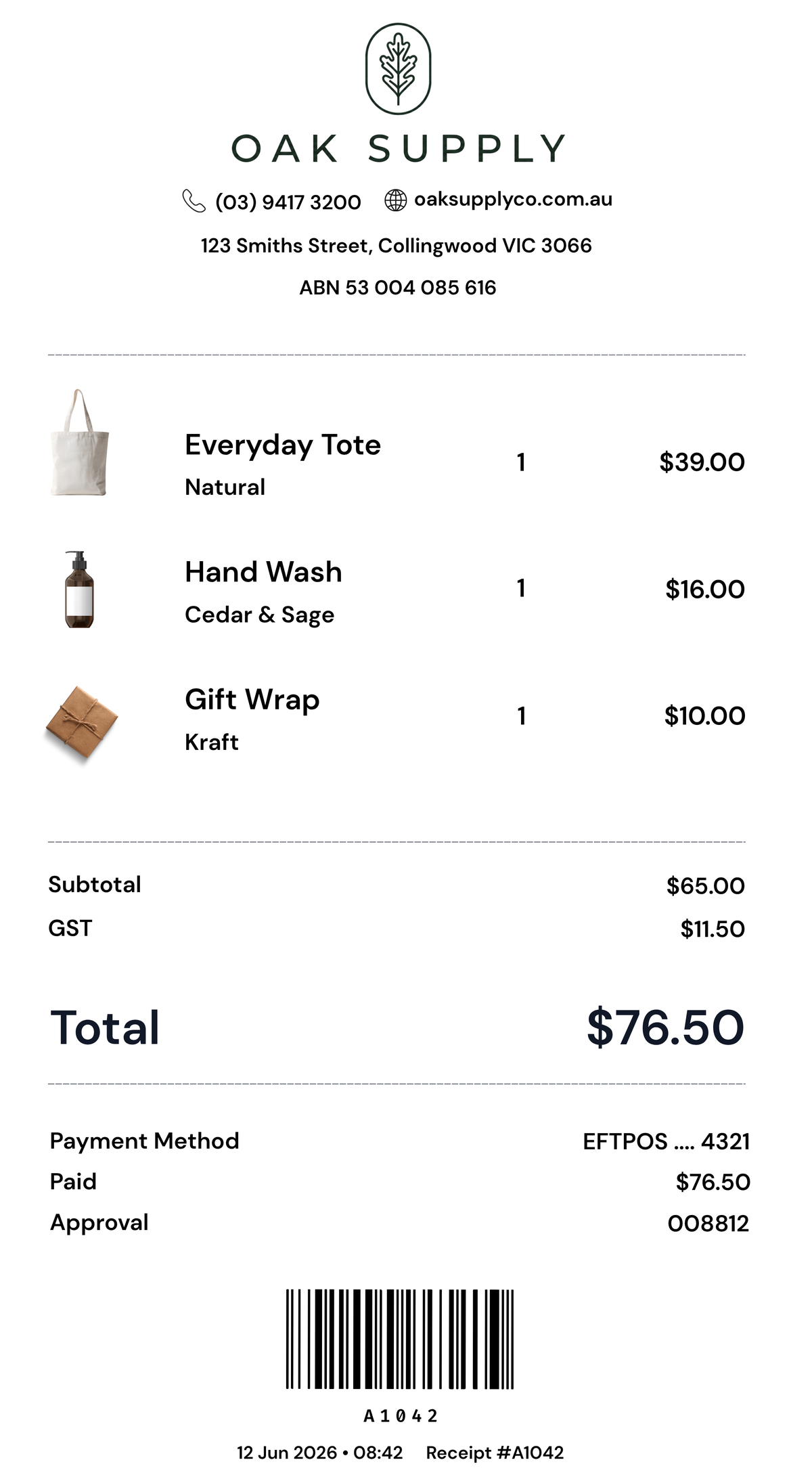
Oak Supply digital receipt
Download receipt
Leave us a review
Sign up for exclusive deals
Loyalty rewards card
Free shipping coupon
Charge to your room
Oak Supply footer

The old way

Separate expenses. Separate headaches.

A counter cluttered with a receipt printer, loyalty stamp and review stand, each with its price
Up front
A$478
Ongoing
A$74/month
Go paperless

The better way

One device replaces all of it. And the paper.

White Receiptile RT-1 Tile on a clean white background
Device
$99.00 AUD
Billed monthly
A$39/month
Get started
30 day money back guarantee

Get Receiptile.

On the annual plan the tile is free: $349.00 AUD for your first year, everything included.

Hardware and first-year checkout prices may use your local currency. Subscription billing is in AUD for Australia and New Zealand, and USD elsewhere.

Not for you? Return it within 30 days of delivery for a full refund.

Device
$99.00 AUD
One-time cost
Ongoing
A$39 / month
Billed monthly
First 30 days included from activation.
Receiptile in white

Receiptile

In stock

Choose your colour

Cancel anytime.

Works alongside your POS

Lightspeed POS
Square POS
Shopify POS
Toast POS
Clover POS

Built for every business

Works for every type of business

Digital customer receipts for compatible POS setups. Keep paper available when you need it.

Order yours today

30 day money-back guarantee

Cafes and restaurants

Speed up service and delight your customers.

Retail stores

Boost loyalty and turn receipts into repeat sales.

Service businesses

Professional receipts that build trust.

Hotels and accommodation

Enhance guest experiences from check-out to follow-up.

Mechanics and auto

Keep customers informed and coming back.

Medical and dental

Simple, secure receipts for every visit.

Our mission

300 billion is why.

Every year, an estimated 300 billion paper receipts are printed around the world.

A third of which gets scrunched up and binned on the spot. The rest? It often ends up in landfill.

It's a strange thing to keep doing. A material that costs money to buy, costs money to maintain, and does more harm than good.

Receiptile is here to change that.

Less receipt paper, without taking away customer choice. A better way to issue receipts for your business, your customers and the planet.

Go paperless with Receiptile

Your questions, answered

Digital receipts. Clear answers.

Can I keep my paper receipt printer?
Yes—keeping a paper option is part of the transition. Receiptile handles the digital receipt; your existing printer handles paper. How you select paper, digital or both depends on your POS and printer configuration, so confirm that workflow with us before ordering. The Tile does not print paper or physically pass a receipt through to another printer.
What if a customer wants paper or does not have a compatible phone?
They do not have to use Receiptile. Keep your existing paper receipt option, or another receipt method your POS supports, for customers who prefer it, have a flat battery or cannot tap. Test that fallback during setup. Digital can be your default without being the only choice.
Will Receiptile work with my POS?
It depends on your exact POS, till device and receipt workflow—not just the brand name. Square has a direct cloud connection, and compatible systems can use a network-printer connection or the Windows Print Router. Direct Shopify and Lightspeed API connections are coming soon; compatible printer routes are the current option. Send us your POS name, version, till device and printer model so we can confirm the right route before you buy.
How does it connect? Do I need to install software?
There are three routes: a supported cloud connection, adding the Tile as a network receipt printer in your POS, or using the Receiptile Print Router on a compatible Windows computer. The Windows route requires that application to be installed and running. Printer-mode setups need the Tile and POS on the same local network. We help you choose the route; you do not need to build an integration yourself.
What happens to kitchen printers and my cash drawer?
Receiptile is for customer receipts. Leave kitchen, bar, order-docket, label and payment-terminal printer settings unchanged. If your cash drawer opens through your existing receipt printer, keep that printer connected until the drawer has been tested. Do not unplug working hardware before checking the full checkout workflow.
Do customers need an app, account or email address?
No app download, Receiptile account or email address is required to open the receipt. After the receipt is sent to the Tile, the customer wakes their compatible phone, holds it near the Tile and follows the on-screen prompt. The optional Receiptile app is separate from the basic tap-to-receive experience. Businesses do need a Receiptile account to set up and manage their Tiles.
Does it work with both iPhone and Android?
Yes, with supported NFC-capable iPhones and Android phones. Phone model, NFC settings and where you hold the phone can affect the tap. Not every phone supports NFC, so keep a paper or other POS receipt option available. The customer does not need to open Apple Wallet or Google Wallet to receive the receipt.
Does the Tile or the customer's phone need internet?
Yes. The Tile needs power and an internet connection, and the customer's phone needs mobile data or Wi-Fi to open the digital receipt. Tapping passes a receipt link—it does not send a complete offline receipt into the phone. Customers can use their own mobile data; they do not need to join your business Wi-Fi. Keep your normal receipt fallback available for an outage.
How long does setup take?
Allow around 10–15 minutes for most supported POS setups: power the Tile, follow the guided account and Wi-Fi setup, connect the correct POS route and test a receipt. More complex networks, Windows setups or multi-printer venues may take longer. Test digital delivery, your paper fallback and any cash drawer before using it during service.
Does Receiptile replace my payment terminal or change how I take payments?
No. Receiptile delivers the receipt after a transaction; it is not a card-payment terminal. Keep taking payments through your existing POS and payment provider. The connection method determines how the completed receipt reaches the Tile.
Where does the receipt go, and can customers save it?
The tap opens that receipt on the customer's phone. The receipt viewer offers saving and sharing options, including a PDF or receipt image; available options depend on the phone. Customers can keep a copy for their records instead of leaving it in an open browser tab.
Can I send a receipt to my accountant or accounting software?
You can save or share a receipt PDF, and the receipt viewer supports forwarding to supported accounting inboxes such as Hubdoc and Dext. That is different from promising a direct integration with every accounting package. Use the export option shown in your receipt viewer, or check your workflow with us.
Why use Receiptile if my POS already emails or texts receipts?
Email and SMS receipts can remain useful options. Receiptile gives customers another way to collect the receipt: a tap at the counter, without typing an email address or phone number into the till. The value is a simpler handover and a receipt your business can customise—not a claim that digital receipts are new.
Is this just an NFC sticker linking to a website?
NFC is how the customer opens the receipt link, but the Tile is a connected device. It receives the current transaction through the configured POS route and makes the relevant receipt available to tap. A basic static NFC sticker points to the same fixed link; it does not by itself receive and manage each new POS receipt.
Can I add my branding, review link or offers to the receipt?
Yes. Receiptile includes merchant receipt customisation for branding and supported content or links, such as a review request, website or offer. Use the options available in the receipt editor and preview the result on a phone. Adding a link is not the same as a full integration with every loyalty, booking or marketing platform.
Can digital receipts be used for expenses, returns and tax records?
Digital receipts can be useful records, but the required information and acceptance rules depend on your country and the purpose. Receiptile does not replace your POS's tax, fiscalisation or reporting obligations, and it cannot add required details that your POS did not supply. Check your local requirements and your accountant's or employer's process; retain a paper option where required.
Will QR codes and fiscal details be preserved?
Where the completed receipt supplied by the POS includes a QR code or fiscal details, preservation must be checked on your exact connection and receipt format. Include those fields in your test receipt before rollout. Receiptile is a receipt-delivery method, not a replacement for a certified fiscal printer or a country's mandatory reporting system.
How does pricing work—is the subscription weekly?
No—the subscription is monthly or annual, not weekly. Pricing is per Tile. The monthly option has a one-off Tile purchase plus the monthly subscription; the annual option includes the Tile. Customers do not pay to receive their receipt. See the buying section for the current price, displayed currency, any first-year offer and renewal terms.
When does billing start?
The annual plan is charged at checkout. On the monthly plan, you pay for the Tile first and the subscription starts once your Tile is live, with the first 30 days included under the current offer. Review the selected plan's billing and renewal details before completing checkout.
What happens to receipt and customer data?
Receiptile processes receipt and technical information to provide the service. Our Privacy Policy says we do not sell personal information or use receipt content for third-party advertising. Service providers may process data outside Australia. Customers do not need to give you an email address just to open a receipt. See our Privacy Policy for sharing, storage, security and deletion details.
Can I cancel or return it if it is not right for my business?
Cancel from your dashboard or by contacting us, with service continuing to the end of the paid period. Subscription-dependent features stop when the subscription ends. For the 30-day money-back guarantee, contact us within 30 days of delivery and follow the return instructions. See the Refund Policy for conditions; cancellation alone does not automatically refund earlier payments.
Can I buy multiple Tiles or become a partner?
Yes. Each Tile is billed under its selected plan. For several tills, multiple venues or a larger rollout, contact us so we can check the setup and quantities with you. If you want to demonstrate Receiptile and refer businesses, apply through our Partner Program; a partner demo Tile is not the same as a production Tile for a live business.
Can I use Receiptile outside Australia?
We are Australian-based and support international enquiries. Availability, shipping and the right POS route depend on your destination and setup. Check your country at checkout, or contact us before ordering if it is not listed. Shipping availability does not by itself confirm local fiscal or receipt-law compliance.
What should I send you to check my setup?
Tell us your country, POS name and version, till device or operating system, current receipt-printer model and whether it opens a cash drawer. Let us know if you need to keep paper receipts or kitchen dockets. Email info@receiptile.com or use our contact page, and we can confirm the route before you order.